f.flux problem with IntelliJ Idea
-
Hi, I need help with this weird bug.
It happens when f.lux is enabled and only in one program - my IDE IntelliJ Idea
I use MacOS Monterey 12.6.1 -
@jirka2244 thanks can you try to disable f.lux's profile writer using the information here?
https://justgetflux.com/news/2014/10/28/profile.htmlAlso, is this a dual GPU machine (can you post the model)? We want to be sure we are only writing profiles when it is required to do so.
-
@herf , I have the same problem with JetBrains IDEs and followed the disable/delete procedure: the only change is that instead of a non-responsive red window, it's a non-responsive corrupted window, so some progress.
I am using the 42.1 beta.
MacOS 13.0
System Report:Model Name: MacBook Pro
Model Identifier: MacBookPro16,4
Processor Name: 8-Core Intel Core i9
Processor Speed: 2.4 GHz
Number of Processors: 1
Total Number of Cores: 8
L2 Cache (per Core): 256 KB
L3 Cache: 16 MB
Hyper-Threading Technology: Enabled
Memory: 64 GB
System Firmware Version: 1916.40.8.0.0 (iBridge: 20.16.411.0.0,0)
OS Loader Version: 564.40.4~27Chipset Model: AMD Radeon Pro 5600M
Type: GPU
Bus: PCIe
PCIe Lane Width: x16
VRAM (Total): 8 GB
Vendor: AMD (0x1002)
Device ID: 0x7360
Revision ID: 0x0041
ROM Revision: 113-D3000E-192
VBIOS Version: 113-D3000A0U-015
Option ROM Version: 113-D3000A0U-015
EFI Driver Version: 01.A1.192
Automatic Graphics Switching: Supported
gMux Version: 5.0.0
Metal Support: Metal 3
Displays:
Color LCD:
Display Type: Built-In Retina LCD
Resolution: 3072 x 1920 Retina
Framebuffer Depth: 24-Bit Color (ARGB8888)
Mirror: Off
Online: Yes
Automatically Adjust Brightness: No
Connection Type: Internal
Pro Display XDR:
Display Type: 2D backlit LCD
Resolution: 6016 x 3384 Retina 6K
Framebuffer Depth: 30-Bit Color (ARGB2101010)
Display Serial Number: C02DV06GML9V
Display Firmware Version: 4.2.37
Main Display: Yes
Mirror: Off
Online: Yes
Automatically Adjust Brightness: Yes -
I'm guessing this is macOS only. I use f.lux in combination with IntelliJ IDEs all the time under Windows and have no issues.
-
Hello @herf
thanks for your reply here and in my email (I missed it).
This is my computer info. It is indeed a model with dual GPU, Intel, and AMD.I managed to get a quick workaround. If I enable fast transitions, my IDE goes red only ~ 3 times daily.
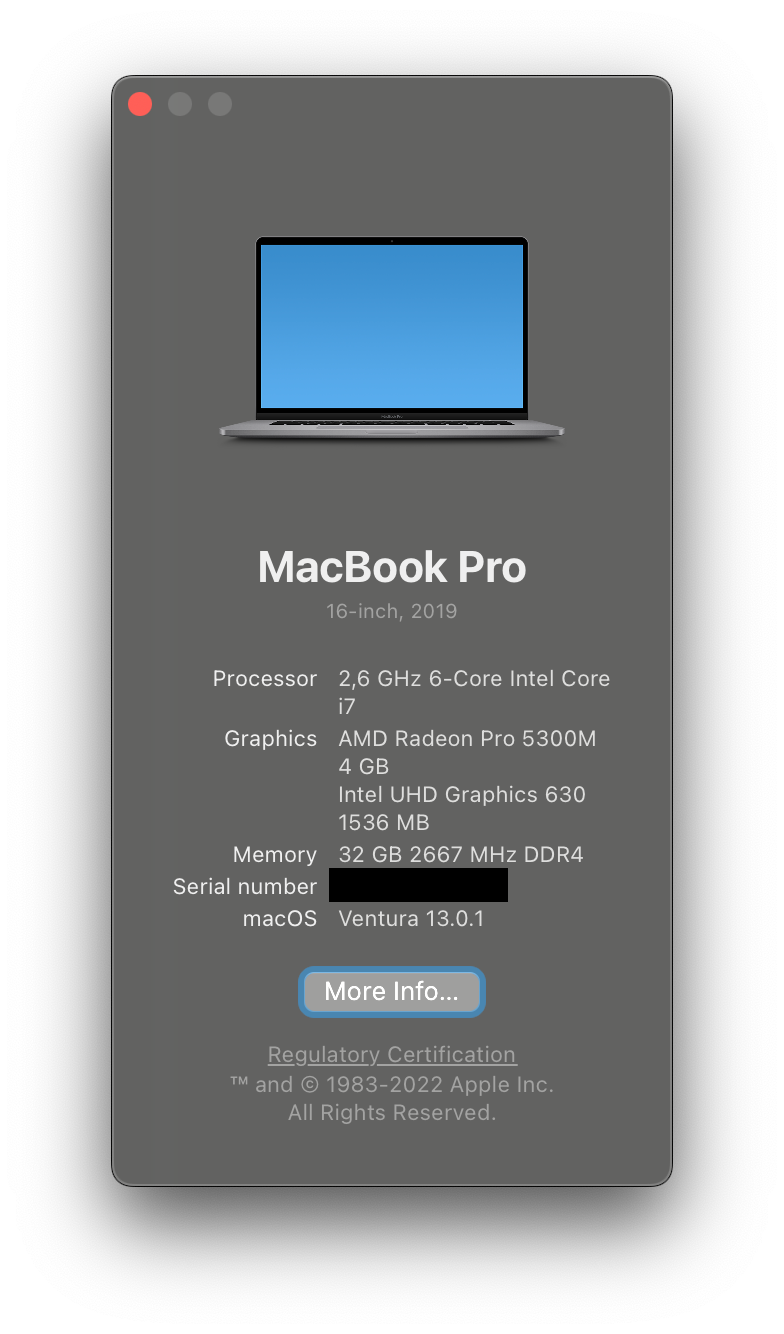
-
Has anyone tried disabling the profile writer? Go to Terminal and type:
defaults write org.herf.Flux disableProfile 1
Then go to system prefs > displays and make sure to delete (or deselect) the f.lux profile if there is one.

Hello! It looks like you're interested in this conversation, but you don't have an account yet.
Getting fed up of having to scroll through the same posts each visit? When you register for an account, you'll always come back to exactly where you were before, and choose to be notified of new replies (either via email, or push notification). You'll also be able to save bookmarks and upvote posts to show your appreciation to other community members.
With your input, this post could be even better 💗
Register Login