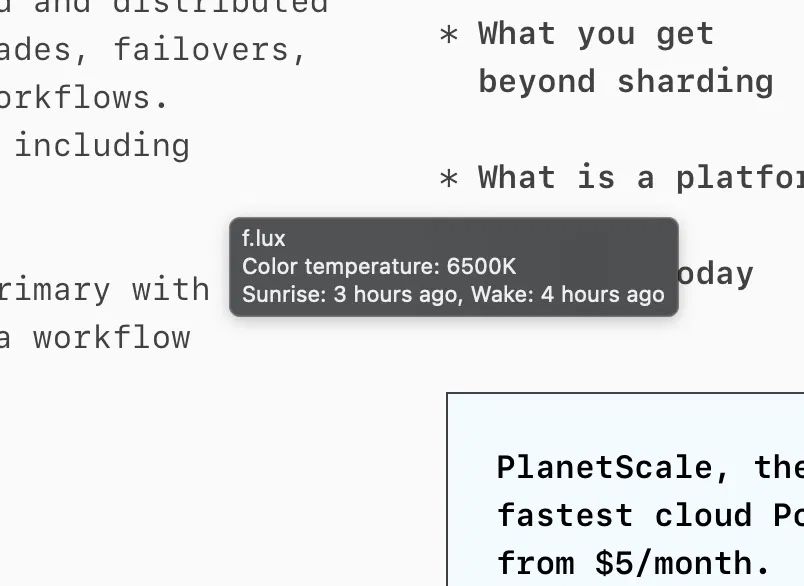
• Stuck tooltip issue workaround (build 42.4)

    Pinned
    1
    0 Votes
    1 Posts
    33 Views
    No one has replied
  • This topic is deleted!

    Pinned Locked
    2
    1 Votes
    2 Posts
    672 Views
  • Please read the FAQ first...

    Pinned Locked
    1
    0 Votes
    1 Posts
    16k Views
    No one has replied
  • Menu bar tooltip gets stuck on screen (macOS)

    3
    1
    0 Votes
    3 Posts
    53 Views
    herfH
    @whp_wessel the build we posted did not help, so we have made a pref toggle for now to disable them entirely: https://forum.justgetflux.com/topic/8701/tooltip-issue
  • Issues with third-party menubar managers + goodies

    1
    0 Votes
    1 Posts
    30 Views
    No one has replied
  • Not functional on MacOS Tahoe (Develeper Beta)`

    15
    0 Votes
    15 Posts
    12k Views
    O
    I switched from an M1 Pro to an M5 Pro today (Mac OS Tahoe 26.5.1) and that's when I discovered F.lux no longer works. Is there any news on the upcoming fix? @herf I've been using this software for over 10 years now and honestly can't do without it. In the meantime I've applied @bobby's workaround and it's doing the job for now. Thank you for all your work on this.
  • Flux not working fine on MacOS 26.2 with DisplayLink

    2
    0 Votes
    2 Posts
    3k Views
    herfH
    @ForwardVision thanks we haven't been tracking this closely from version to version, but we're grateful they're doing it. Is it when you switch desktops or just any window?
  • Still can't get it to work w/ Tahoe 26.2

    1
    0 Votes
    1 Posts
    1k Views
    No one has replied
  • macOS Tahoe 26.2 compatibility

    2
    0 Votes
    2 Posts
    3k Views
    herfH
    @DCRnash We did this on old dual-GPU macs from the 2012-2015 era. We found they would switch from discrete to integrated GPU and load the system colors, but not the f.lux ones. On newer Apple Silicon macs, there is no switch (since there is just one GPU) and so we don't have to build a profile to keep things working. It's better in most cases for f.lux to be a "temporary" effect. But in case you somehow wanted the old behavior, it might still work with a pref - check out: https://justgetflux.com/news/2014/10/28/profile.html
  • Set up for Macular Pigment Effect

    2
    0 Votes
    2 Posts
    3k Views
    herfH
    @Sreten you are right that not all of these appear on the Mac, we will make a note to add them in the future
  • Tint bug with ScreenShotX

    2
    0 Votes
    2 Posts
    2k Views
    herfH
    @Moisey we currently don't test DisplayLink on macOS, but we might in the future.
  • Extra hour of sleep for teens option missing.

    2
    0 Votes
    2 Posts
    2k Views
    herfH
    @fluxhelpme yes you can set the wake time one hour earlier for now.
  • Dark mode bug?

    2
    0 Votes
    2 Posts
    2k Views
    herfH
    @rich-vine1252 there is a toggle in the "f.lux > Color Effects" menu that makes f.lux do this switch automatically. It should be off by default, but it sounds like you want to make sure it is off on your Mac also.
  • Disable f.lux's automatic adjustments based on time/location

    11
    1 Votes
    11 Posts
    17k Views
    M
    @levitation is there a macOS option that does this too?
  • MacOS Tahoe 26

    5
    0 Votes
    5 Posts
    5k Views
    herfH
    looks like beta 5 fixes this bug and things work with automatic brightness again.
  • CAN'T FIND ICON OR SETTINGS...(MacOS Sequoia 15.1.1)

    4
    0 Votes
    4 Posts
    5k Views
    G
    Figured out the problem. One of my menubar programs (menumeters) was not working right and that caused all of the menubar icons to fail. hope this helps someone else having this problem.
  • macOS Tahoe 26 notes

    1
    1 Votes
    1 Posts
    5k Views
    No one has replied
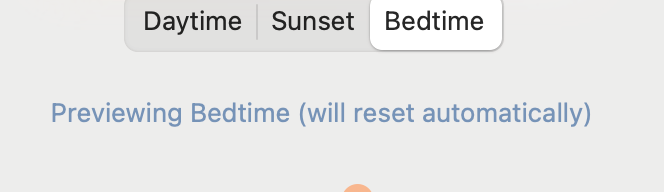
  • Always resets to sunset, won't use specified wake up time

    2
    1
    0 Votes
    2 Posts
    2k Views
    herfH
    @illegalnumbers yes this is a preview. When you switch tabs, you are adjusting what the screen will look like in the future, not right now. If you want to adjust what the screen looks like right now, you don't have to change tabs, they will change automatically throughout the day and all you have to do is move the slider.

  • This topic is deleted!

    1
    1 Votes
    1 Posts
    50 Views
    No one has replied
  • [Feature Request] Override color temperature / add custom profiles

    1
    0 Votes
    1 Posts
    3k Views
    No one has replied