After an update of my graphics F.Lux doesn't work anymore
-
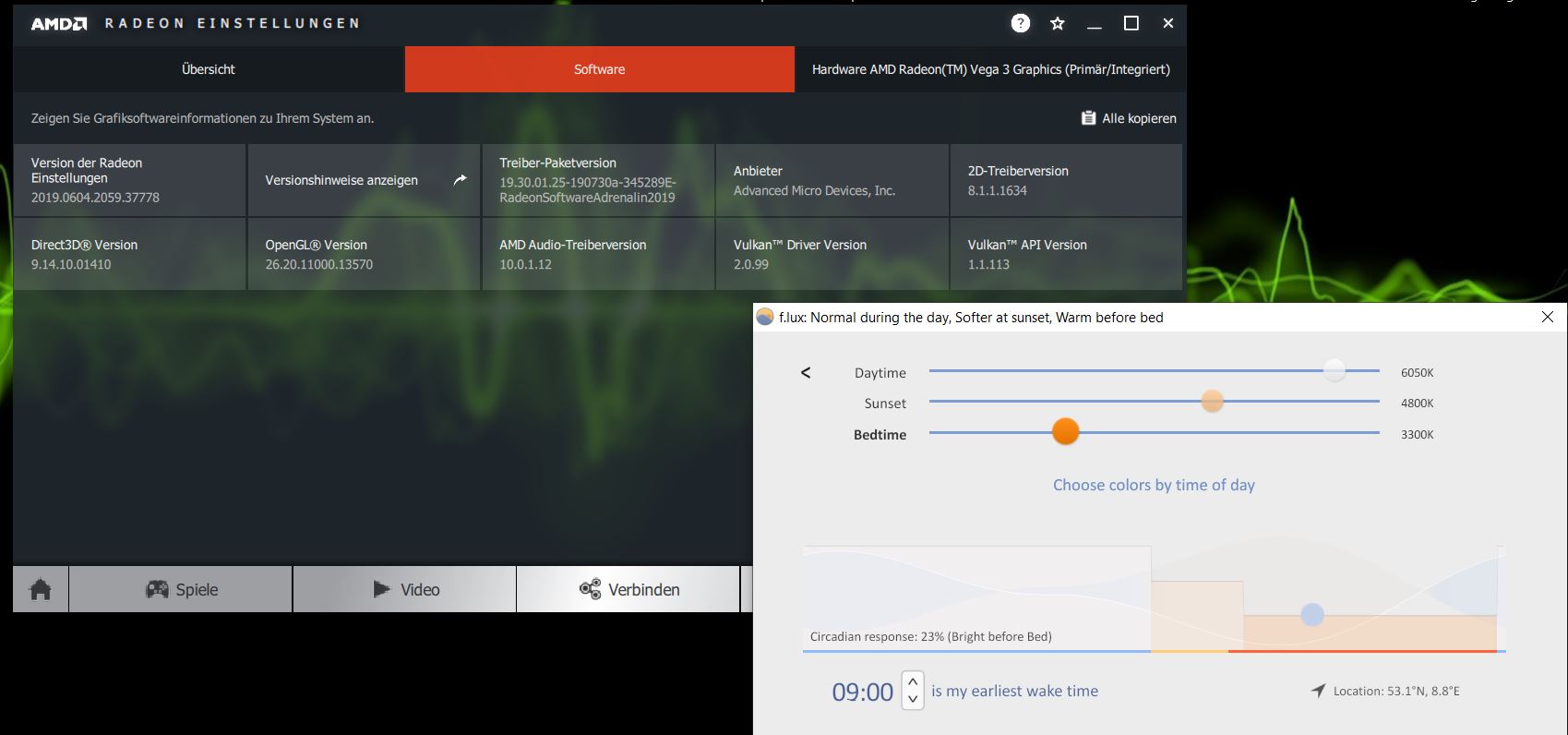
After an update (15.08.2019) of my AMD Radeon Vega 3 graphics to the version 2019.0604.2059.37778 F.Lux unfortunately doesn't work for me anymore, the program is executed, but the picture doesn't change.
My graphic data:
AMD Radeon Vega 3
version 2019.0604.2059.37778
Direct 3D 9.14.10.01410
Open GL 26.20.11000.13570
driver package version
19.30.01.25-190730a-345289E-RadeonSoftwareAdrenaline2019
AMD Audio Driver Version 10.0.1.12
Provider
Advanced Micro Devices, Inc.
2D driver version 8.1.1.1634
AMD Audio Driver Version 10.0.1.12
Vulkan™ Driver Version 2.0.99
Vulkan™ API version 1.1.113
I am using the latest version of F.Lux
I made several restarts and also downloaded and installed F.Lux in the latest version.
 image url)
-
Thanks, we are hearing about problems with these new drivers.
Can you also test with our beta?
https://forum.justgetflux.com/topic/6289/to-join-the-f-lux-beta -
@herf Thanks for the tip, unfortunately the color temperature doesn't really change in the beta either.
But what is easy to see is that under Windows 10 the image becomes greyish at 1500K and less, as if you were threading on black and white.


-
@KraftKlotz can you also check if your GPU is running in 8-bit or 10-bit mode? https://www.amd.com/en/support/kb/faq/dh-008
-
@herf The GPU runs at 8 bit color depth, which cannot be changed.

-
I found a note online that the older AMD drivers are working - can anyone test this?
https://www.amd.com/en/support/kb/release-notes/rn-rad-win-18-10-2
-
@herf I will go back to the old driver, thanks for the quick help for now.

Hello! It looks like you're interested in this conversation, but you don't have an account yet.
Getting fed up of having to scroll through the same posts each visit? When you register for an account, you'll always come back to exactly where you were before, and choose to be notified of new replies (either via email, or push notification). You'll also be able to save bookmarks and upvote posts to show your appreciation to other community members.
With your input, this post could be even better 💗
Register Login