f.lux is breaking G-SYNC after waking from sleep / hibernation
-
I found that f.lux was breaking G-SYNC functionality on my system after waking from sleep / hibernation.
Restarting the system or quitting f.lux restored G-SYNC functionality.
By method of elimination I started disabling startup apps and noticed the issue went away after I closed f.lux.
After tinkering with f.lux settings I tracked the following option to be the culprit:
"Use GPU for better quality with very warm colors"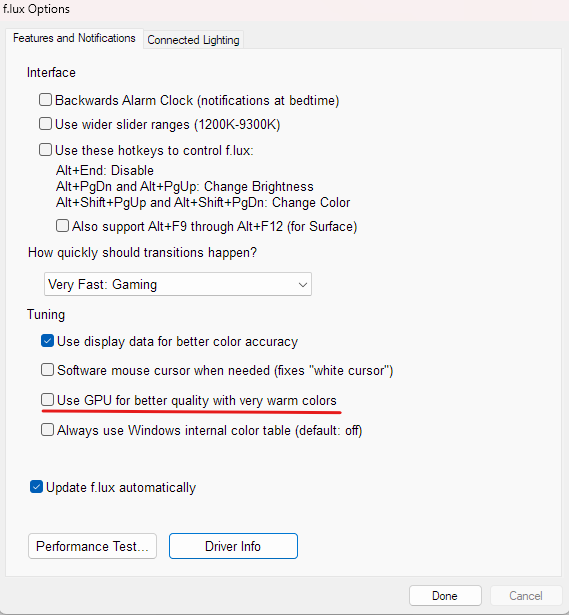
My A/B testing method involved using:
-
Nvidia G-SYNC Pendulum Demo app - when issue occurred, it falls back to "No V-SYNC" and does not allow manually switching back to "G-SYNC"
-
"Show indicator" option enabled inside Nvidia app
-
my monitor's built-in FPS counter which actually shows the dynamic / static refresh rate depending on whether VRR has been engaged or not
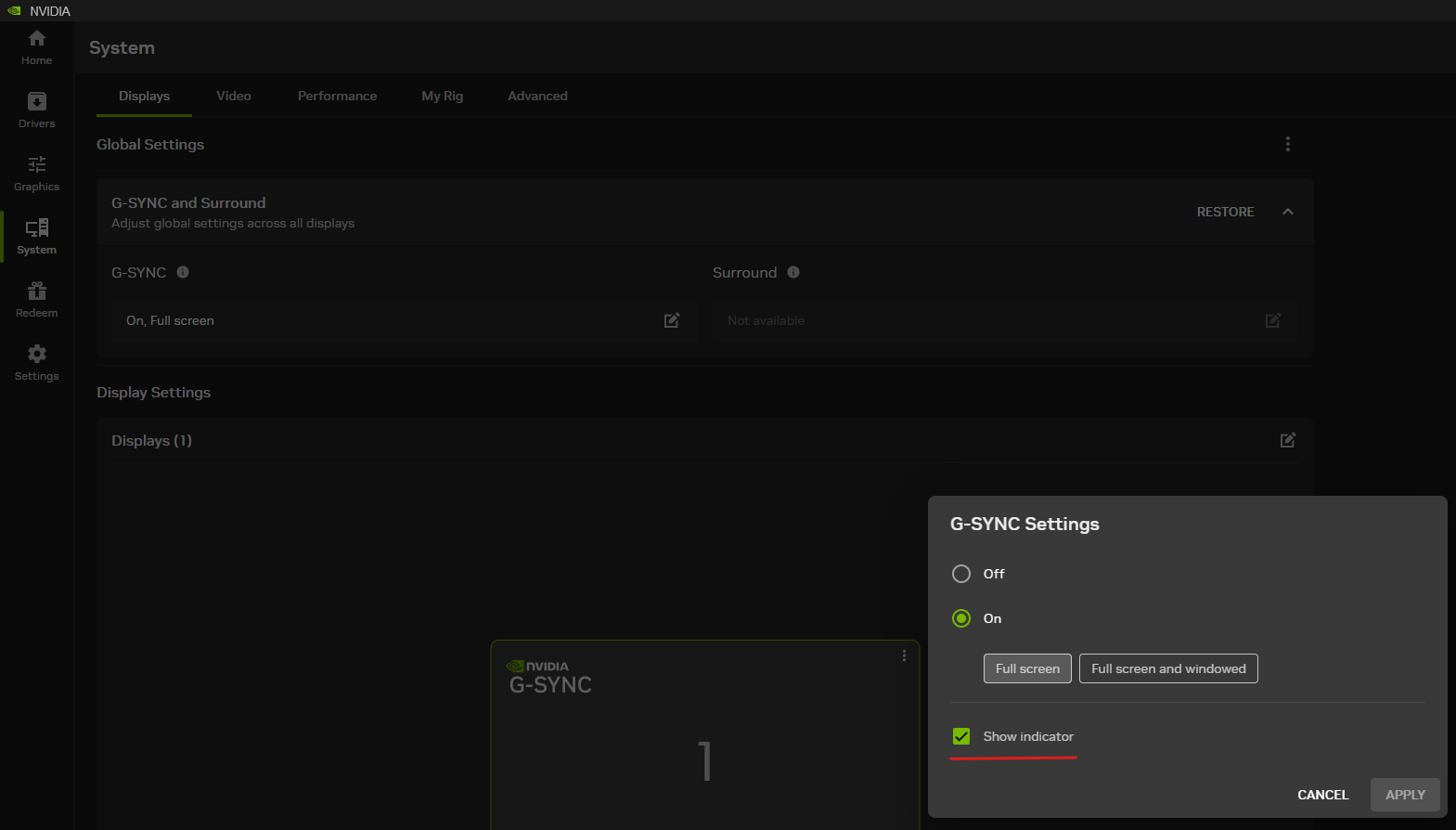
It appears the issue does not occur when the culprit "use GPU" setting is not enabled, but I got burned by it and will switch to Windows native Night Light for a while.
Below is my system spec copied automatically by f.lux settings "Driver info":
NVIDIA 32.0.16.1714: NVIDIA GeForce RTX 4080 (20260917)LG ULTRAGEAR(DisplayPort), 697 x 392mm, built 2022
Chromaticities:
R=0.685547 0.308594
G=0.264648 0.667969
B=0.150391 0.057617
W=0.313477 0.329102
sRGB gamut: 101%, AdobeRGB gamut: 83%Unlimited gamma ramp=1, Internal ramp=0
Monitor 1 on NVIDIA GeForce RTX 4080
Has VCGT profile=0, Gamma Ramp works=1
Profile:Windows Build: 26300.9550
-
-
@GramNaJoysticku this is related to one of the "new" Windows 11 bugs which we think we fixed and is in the next beta
-
@herf Yes. I had to use ACER_SA240Y.icc to create an SDR profile in Windows. It is called G257HL. When I added that profile to each monitor, the Windows re-start bug went away (Windows Pro, 26H2, 26300.9818).
I don't blame f.lux at all (V4.141).
I do not have "Always use Windows internal color table" turned on. That might have been my next step after adding the SDR profile to each monitor.
The culprits were me and Windows all along.
Marty

Hello! It looks like you're interested in this conversation, but you don't have an account yet.
Getting fed up of having to scroll through the same posts each visit? When you register for an account, you'll always come back to exactly where you were before, and choose to be notified of new replies (either via email, or push notification). You'll also be able to save bookmarks and upvote posts to show your appreciation to other community members.
With your input, this post could be even better 💗
Register Login