Windows 10 May update (1903)
-
This is another symptom of the color system having failed in Windows. It is not dimming in our "workaround" mode (which it did before) but it works properly after a reboot.
-
I can confirm that. I shut down my PC every evening, and I had this problem for 3 days consecutively, but it started working again today. Not sure if it's been updated in the background or if it was completely bad luck, but it works now. Thanks!
-
I can report that i've also got tinted screenshots, and 4.104 with 18362.116.
I guess i just have to wait until 18362.145. Until then i'm running f.lux disabled,
since i run screen-capture software that needs to accurately know correct colors.It was nice how it worked before, surely a great feat of engineering :)
-
These both of symptoms are there in my newly updated windows, a solution would be very helpful,
and one more thing that every administrator permission asking prompt page is appearing untinted whether f.lux is turned on or not. -
"18362.145 (KB4497935)" is installed and the tinted screenshots still exist. Everything works fine after restart Windows.
-
Anyone who still has this problem after the .145 update (@darksapex) please post f.lux options > driver info so we can investigate.
-
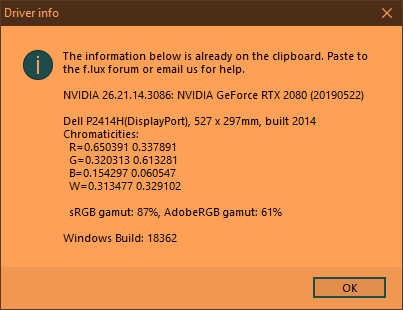
Hey guys, I'm using ShareX to take a screenshot and video/gif and more and after Windows May update, I have this problem when I taking a screenshot (look at the photo)
if I restart my PC the problem fixed but after while she coming back
I try to reinstall F.lux or ShareX, still have this problem
any fix for this? -
Can you check using these steps?
- After reboot, when things are OK, change display resolution
- Does it fail right away after this?
-
@herf
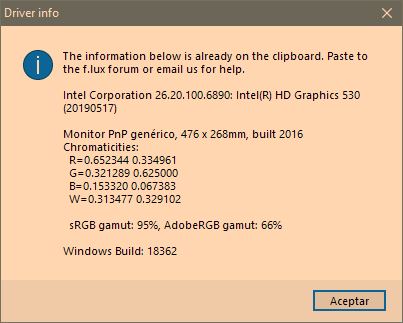
I'll try those steps later and inform you. -
The option to disable for fullscreen apps is not working at all for me on both screens. I can disable manually fine or use the shortcut 'alt + end', but if I select to disable for fullscreen apps it does not work since the Windows 10 May update. I am on 4.104.
-
@cymatics yes this is a bug in the fallback mode - it is trying to disable for one monitor and failing. we can make it disable for both in the future. But again, we shouldn't be in fallback mode at all.
-
@herf said in Windows 10 May update (1903):
Can you check using these steps?
- After reboot, when things are OK, change display resolution
- Does it fail right away after this?
no, after while it coming back or after game... god I hate this
-
@makaveli So would you say games are knocking it out?
-
I also have issue with tinted screenshots. I have this issue after turn off and turn on PC from menu start everything. When I reboot PC, then I don't have this bug.
I also have issue with v3 version on latest Windows. When I turn off and turn on PC from menu start blue light filter completly don't work. I need to reboot PC to make it work again.
https://forum.justgetflux.com/topic/7033/problem-with-latest-windows-1903
-
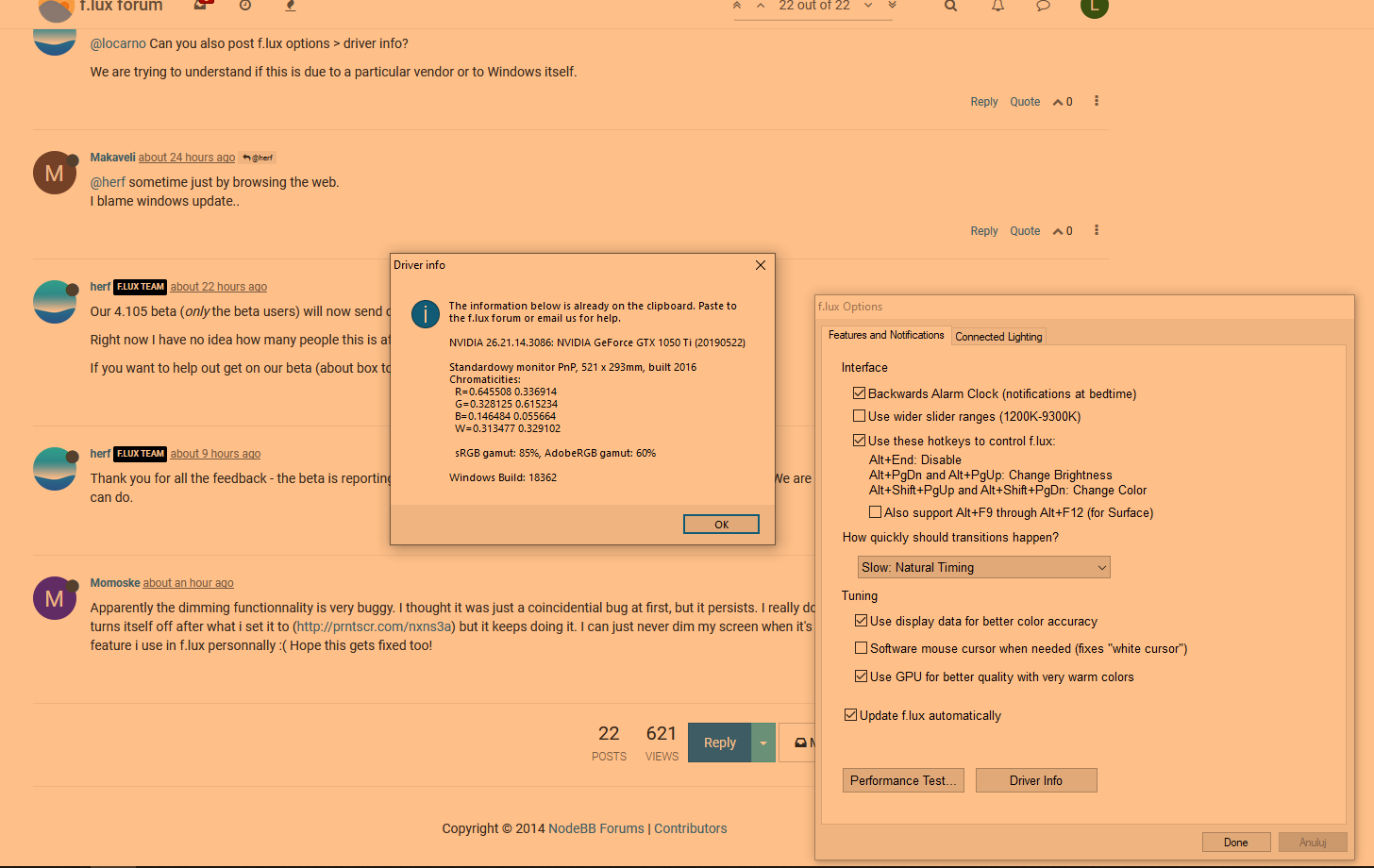
@locarno Can you also post f.lux options > driver info?
We are trying to understand if this is due to a particular vendor or to Windows itself.
-
@herf sometime just by browsing the web.
I blame windows update.. -
Our 4.105 beta (only the beta users) will now send color system failures and driver versions as part of the update.
Right now I have no idea how many people this is affecting, though it seems to be quite a few.
If you want to help out get on our beta (about box to change it).
-
Thank you for all the feedback - the beta is reporting that about 33% of machines are failing, which is incredibly high. We are reporting this to Microsoft and will see what they can do.
-
Apparently the dimming functionnality is very buggy. I thought it was just a coincidential bug at first, but it persists. I really don't know what causes it, maybe when the monitor turns itself off after what i set it to (http://prntscr.com/nxns3a) but it keeps doing it. I can just never dim my screen when it's too bright at evening, literally the most useful feature i use in f.lux personnally :( Hope this gets fixed too!
-
@herf I installed clear copy of Windows 1903 and latest nvidia driver.
If you need I can record video from this 2 bugs. It is strange that after reboot eveyrthing is ok but after turn off and turn on it don't work.
You think Microsoft will fix this ? You can't fix this by flux update ?

Hello! It looks like you're interested in this conversation, but you don't have an account yet.
Getting fed up of having to scroll through the same posts each visit? When you register for an account, you'll always come back to exactly where you were before, and choose to be notified of new replies (either via email, or push notification). You'll also be able to save bookmarks and upvote posts to show your appreciation to other community members.
With your input, this post could be even better 💗
Register Login