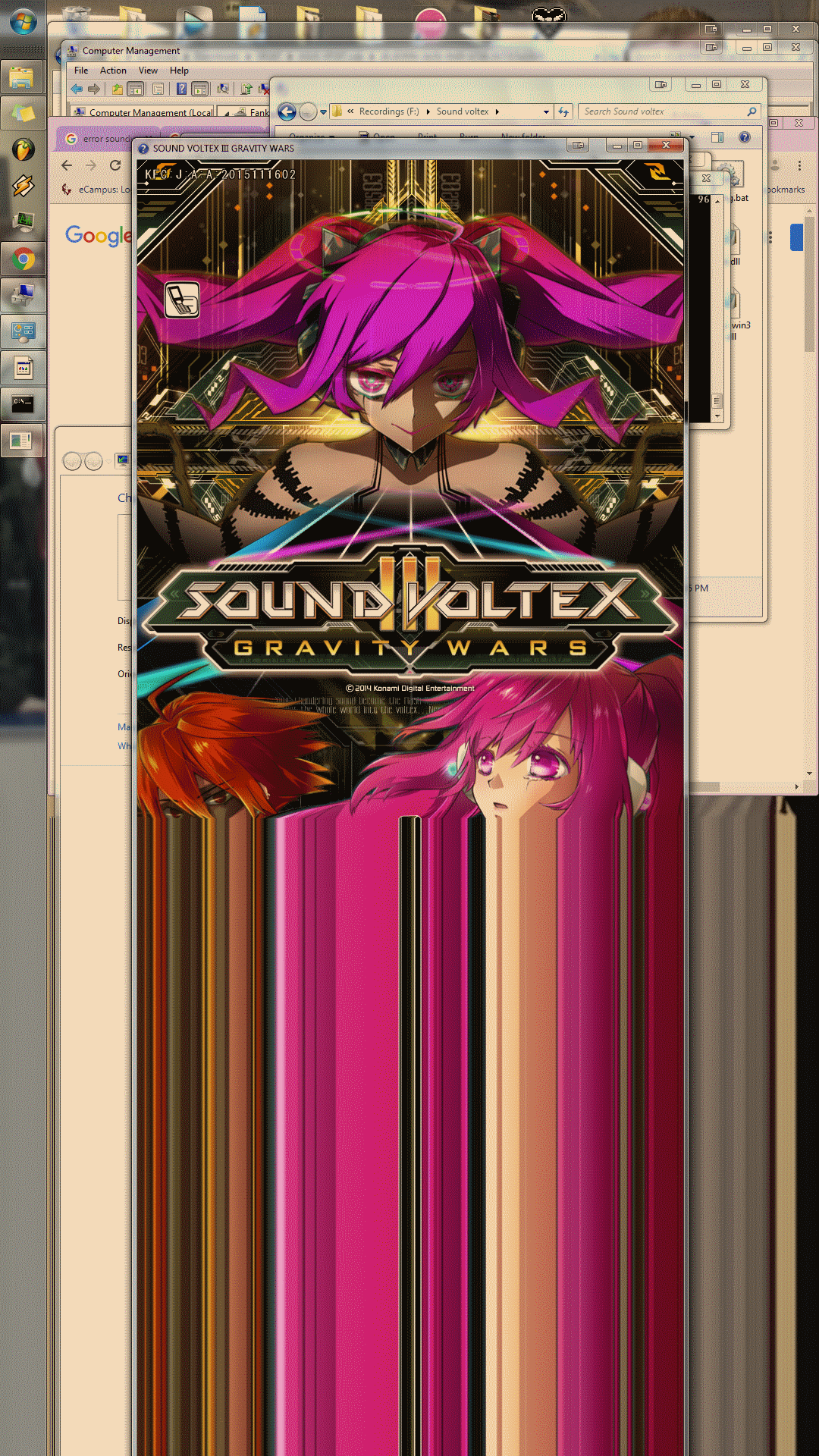
Asus VP247 smears pixels when f.lux is on in portrait mode
-
This problem seems specific to the asus monitor. I've contacted asus and they were very confused as well. My 2nd monitor is a dell and portrait mode with f.lux on display correctly, no matter the resolution (ive tried this on an old square monitor as well and it displays fine. I've tried making the asus not my main display, unplugging a 2nd monitor source, factory resetting the monitor/my graphics card settings in windows, updating monitor slq drivers and graphics drivers; even using the default p2p drivers. Switching from display port to hdmi or dvi doesnt help. Any help on why this might be happening? It seems just to happen on this monitor.

Hello! It looks like you're interested in this conversation, but you don't have an account yet.
Getting fed up of having to scroll through the same posts each visit? When you register for an account, you'll always come back to exactly where you were before, and choose to be notified of new replies (either via email, or push notification). You'll also be able to save bookmarks and upvote posts to show your appreciation to other community members.
With your input, this post could be even better 💗
Register Login